
Your 3D printer runs flawlessly for 10–12 hours.
Then suddenly… air printing. No extrusion. Panic mode on.
You clean the nozzle.
It works again.
Four hours later — same failure.
If this sounds familiar, here’s the hard truth:
- Your nozzle was never clogged.
- You’re fighting the symptom, not the disease.
The real culprit is Heat Creep — one of the most misunderstood and destructive failure modes in FDM / FFF 3D printing, especially during long-duration prints.
What Is Heat Creep in 3D Printing?
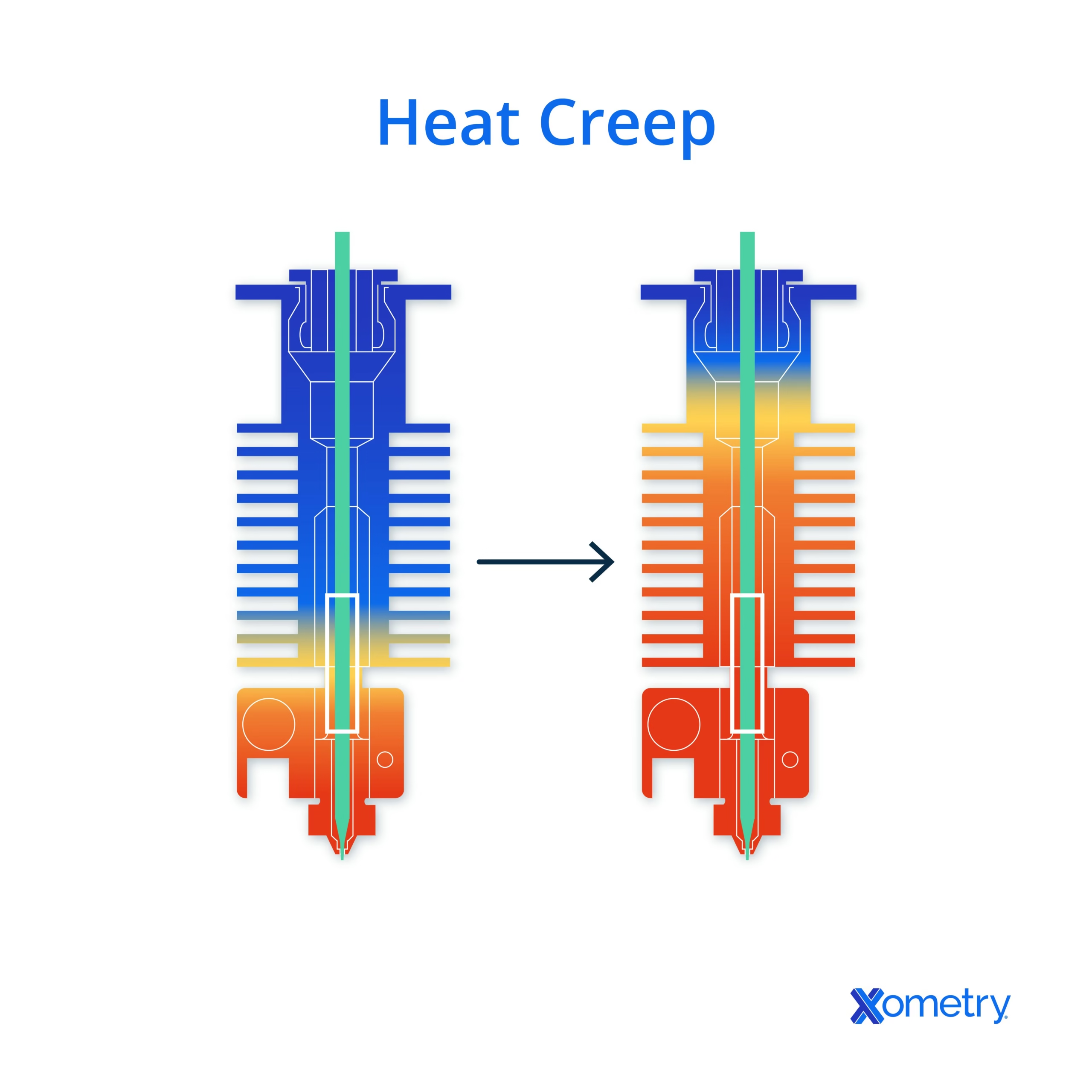
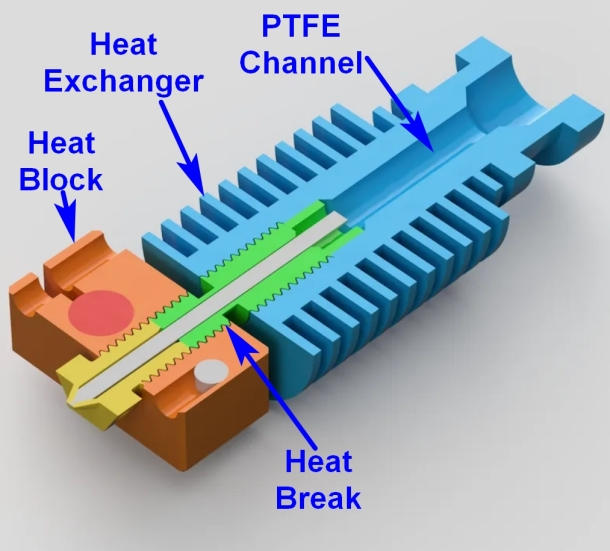
Heat creep occurs when heat from the hot end travels upward into the cold zone of the extruder, where filament is supposed to remain solid.
When this happens:
- Filament softens too early
- It swells inside the heat break
- A plug forms above the nozzle
- Extrusion stops completely
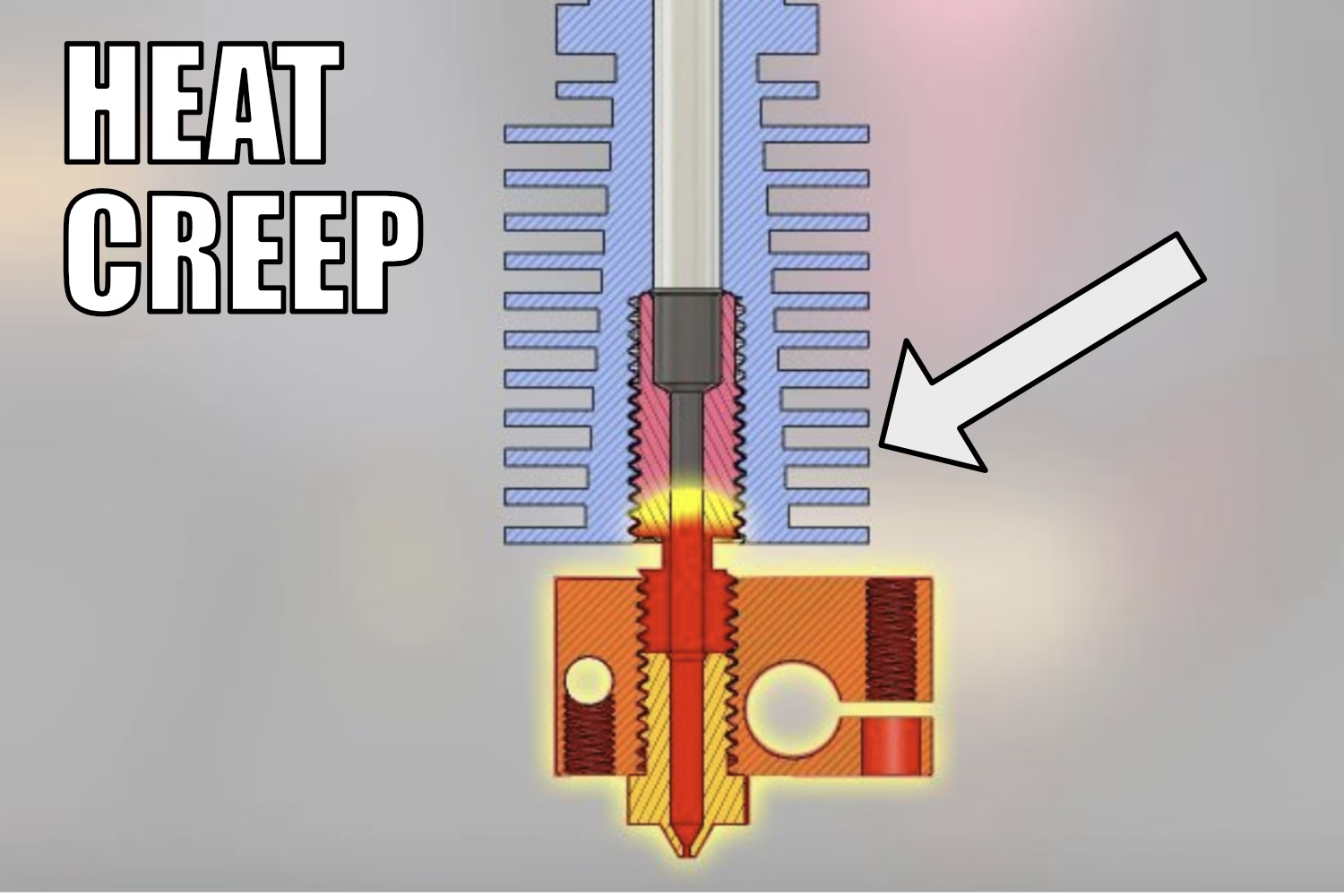
No amount of needle poking or cold pulls will permanently fix it.
Why Heat Creep Appears After Many Hours (Not Immediately)
Heat creep is cumulative.
Your printer may look fine at the start, but over time:
- Hotend fan efficiency drops (dust, wear, poor airflow)
- Heat accumulates in the heat break
- Retractions repeatedly pull hot filament upward
- Ambient temperature rises inside the enclosure
Eventually, the cold zone is no longer cold.
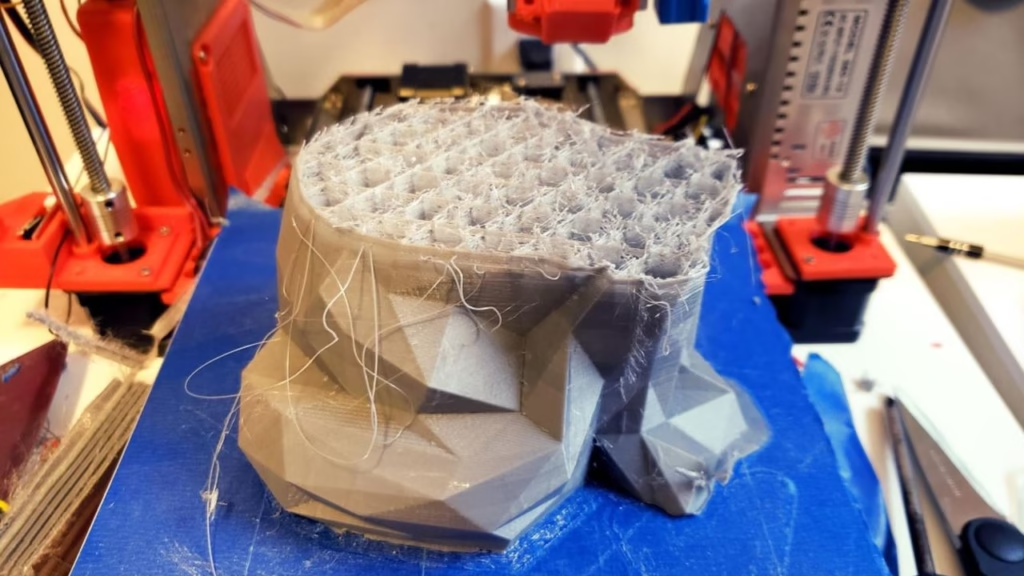
That’s why this failure:
- Happens mid-print
- Repeats on long jobs
- Magically “fixes itself” after cooldown
Common Symptoms of Heat Creep (Often Misdiagnosed)
If you notice these, think heat creep, not nozzle clog:
- ✔️ Printer extrudes fine initially
- ✔️ Sudden under-extrusion or air printing
- ✔️ Filament looks swollen or chewed when unloaded
- ✔️ Failure repeats after several hours
- ✔️ Happens more with PLA and low-temp filaments
The Physics Behind Heat Creep
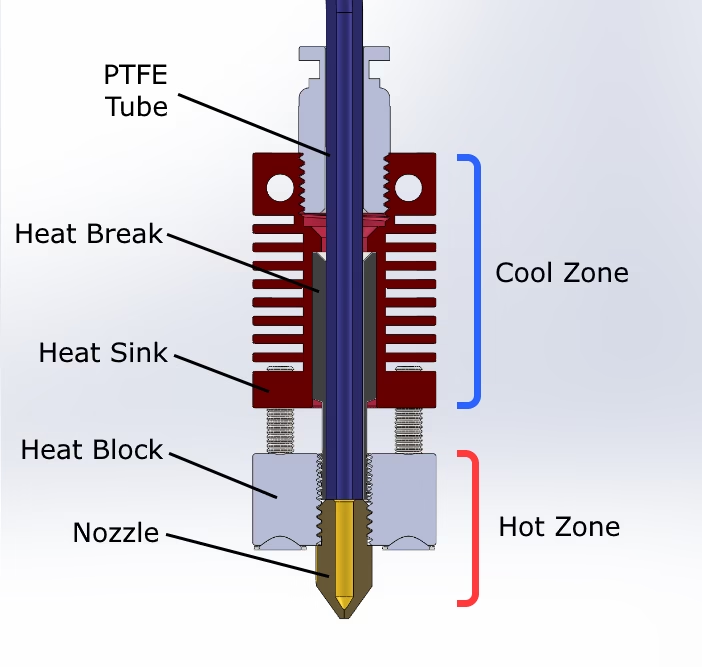
- The heat break is designed to create a sharp thermal gradient
- If heat is not removed efficiently:
- The gradient shifts upward
- Filament enters a rubbery state too early
- This creates high friction, causing jams
👉 The nozzle is innocent.
👉 The thermal cycle is broken.
The Engineer’s Fix: How to Actually Solve Heat Creep
1️⃣ Improve Heat Transfer (Critical)
Apply Boron Nitride thermal paste on:
- Heat break threads
- Heat sink interface
This dramatically improves heat flow away from the hot zone.
❌ Do NOT use normal CPU paste inside the hotend
✅ Use high-temperature Boron Nitride paste only
2️⃣ Respect Retraction Discipline
Excessive retraction is a silent killer.
Recommended limits:
- Bowden setup: ≤ 4 mm
- Direct drive: ≤ 0.8 mm
Too much retraction pulls molten filament into the cold zone — exactly what causes heat creep.
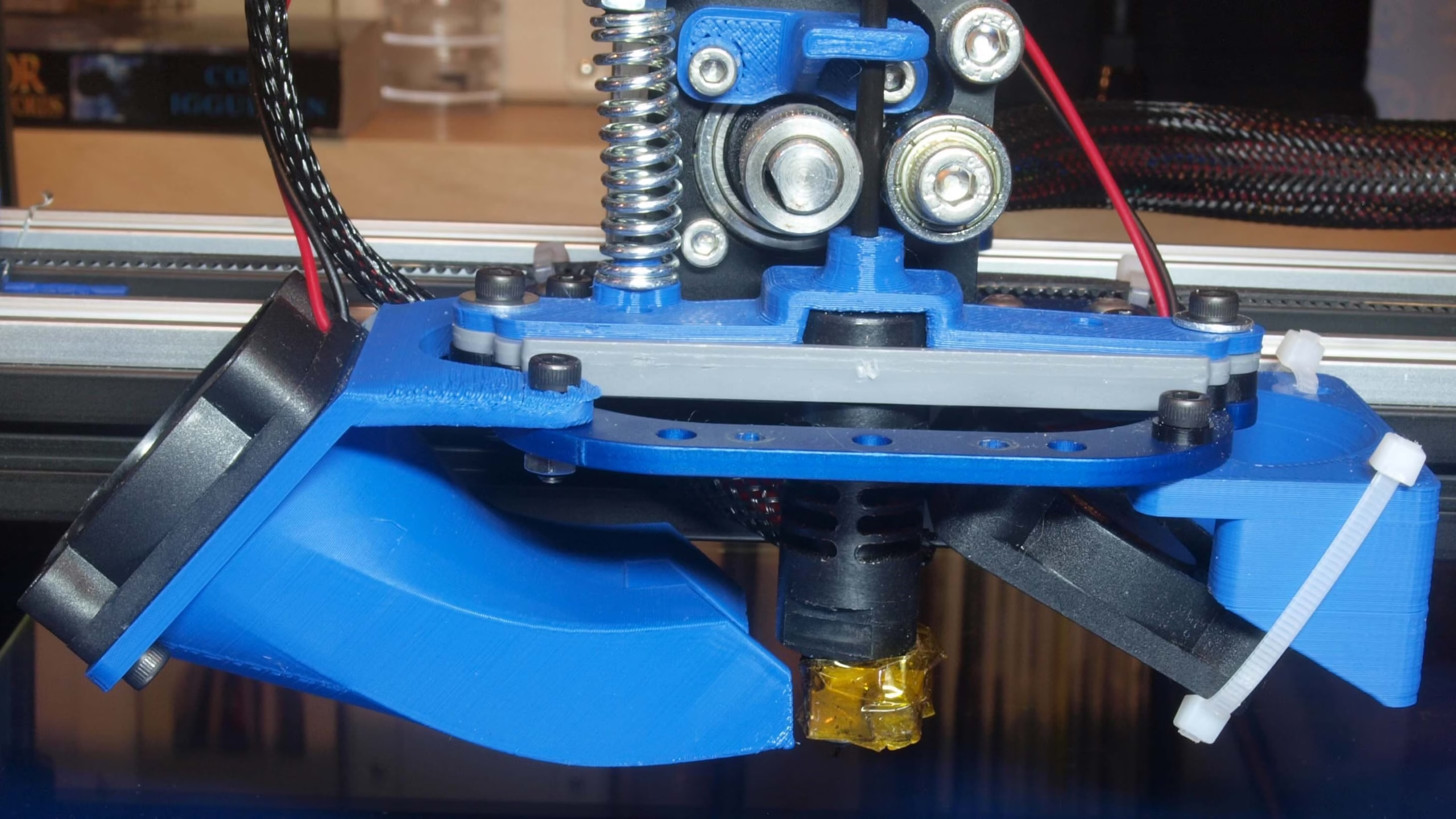
3️⃣ Maintain the Hotend Fan (Not the Part Cooling Fan!)
This is the #1 overlooked factor.
- Clean dust regularly
- Replace weak or noisy fans
- Ensure airflow is directed through the heat sink fins
- Check that the fan runs at 100% continuously
⚠️ A spinning fan does NOT mean effective cooling.
4️⃣ Check Ambient & Enclosure Temperature
PLA + enclosed printer = heat creep risk.
If printing PLA:
- Open the enclosure
- Improve airflow around the hotend
- Avoid heat soak during long prints
Why Cleaning the Nozzle “Works” Temporarily
When you stop the print:
- The hotend cools down
- The filament hardens
- The swollen section shrinks slightly
This resets the failure, not fixes it.
Once heat builds again — the problem returns.
Heat Creep vs Nozzle Clog (Quick Comparison)
| Feature | Heat Creep | Nozzle Clog |
|---|---|---|
| Happens after hours | ✅ | ❌ |
| Temporary fix after cooldown | ✅ | ❌ |
| Caused by poor cooling | ✅ | ❌ |
| Fixed by needle cleaning | ❌ | ✅ |
| Related to retraction | ✅ | ❌ |
Final Takeaway: Diagnose, Don’t Guess
If long prints keep failing:
- Stop blaming the nozzle Inspect the thermal design
- Fix airflow, heat transfer, and retraction
💡 Heat creep is silent, progressive, and avoidable — once you understand it.
FAQ: Heat Creep in 3D Printing
Q1. What causes heat creep in FDM 3D printers?
Heat creep is caused by insufficient cooling of the heat break, excessive retraction, poor fan performance, or heat accumulation during long prints.
Q2. Is heat creep more common with PLA?
Yes. PLA softens at low temperatures, making it highly susceptible to heat creep compared to ABS or Nylon.
Q3. Can enclosure cause heat creep?
Absolutely. Enclosures increase ambient temperature, which reduces the effectiveness of hotend cooling.
Q4. How do I permanently fix heat creep?
Improve hotend cooling, reduce retraction distance, apply Boron Nitride paste, and maintain the hotend fan.